Spend less time preparing for shows and more time selling.
Choose what to bring, print packing lists and price labels, and sell through Checkout. After the show, count returned cards and check them against recorded sales.
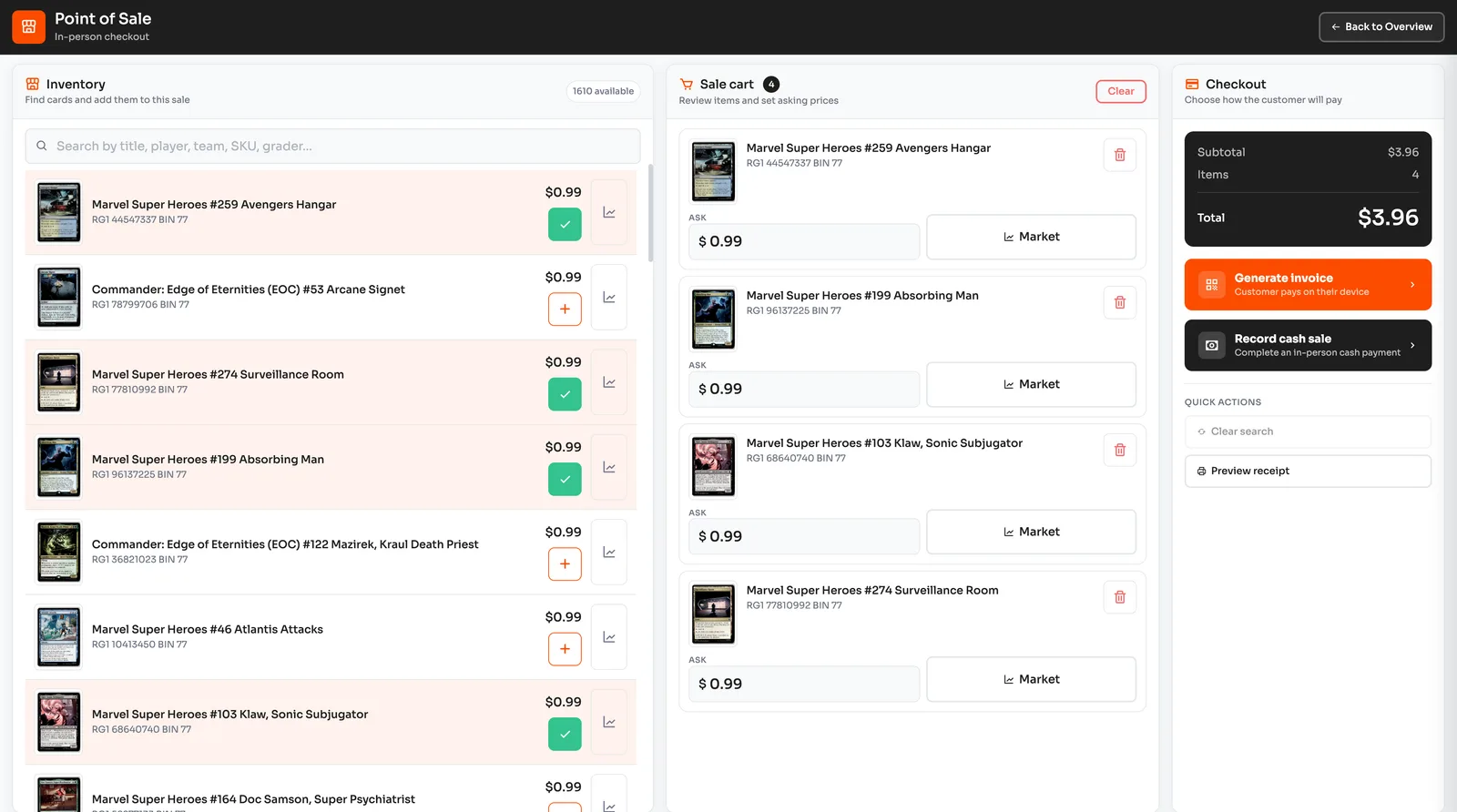
The work starts before you load the car.
Choosing stock, checking prices, finding cards, and keeping track of sales can consume the days around a show. A table full of cards is harder to manage when its costs and records live somewhere else.
Before, during, and after the show
Plan what to bring
Set your show dates, capacity, price range, and audience interests. Review the suggested cards and quantities before choosing your show stock.
Pack and label the cards
Use the packing list to find cards by storage location. Confirm packed quantities, choose show prices, and print labels before opening Checkout.
Sell at the show and count unsold cards
Record completed sales in Checkout. After the event, count unsold cards and resolve differences before returning stock to sale.
Bring the right cards and account for every one
- Choose from stock you own
- Build your show selection from available cards. Suggestions use the interests, price range, and capacity you set.
- Set prices for the show
- Choose show-only asking prices for your selected cards. Compare market evidence, acquisition cost, and selling fees before deciding what to charge.
- Sell across the table
- Prepare purchases from your show inventory in Checkout and keep completed transactions with the cards sold.
- Follow the card after the show
- Compare counted returns with recorded sales. Check discrepancies before making unsold cards available again.
One show, then back to the storefront
Review the cards you plan to take, find them by their recorded locations, and prepare the selling setup before opening the table. After the show, use transaction records to check what remains.
- Review stock and prices before packing.
- Record completed sales while selling.
- Check returned cards before making them available again.
Plans and common questions
Show planning is available on Operations and above. Start by adding your inventory, then open Shows in Checkout to plan, pack, and reconcile your next event.
Review plans and pricingWhere should I start?
Start with your inventory. Confirm the cards, costs, and locations, then open Checkout. Use Shows in Checkout to create your plan, pack the selected cards, and check returns after the event.
Does Pulltrader choose and reprice my stock automatically?
You review suggested cards, quantities, and optional show-only prices before allocating stock. You confirm packing and return counts. Show-only prices apply to the show; they do not reprice your other listings.
Get ready before you load the car.
Add your cards and costs, then plan the stock for your next show.