Turn stacks of cards into sellable inventory.
Spend less time entering card details. Import a batch of desktop scanner images, check the card matches, and add costs and prices. Away from your desk, capture one card with your phone.
Scanning and basic identification are free. See plans and pricing
The box is bought. The work has barely started.
Entering a stack by hand means repeating names, sets, card numbers, and varieties before you can even decide what to charge. An unprocessed box ties up cash while the rest of your business keeps moving.
From images to inventory
Bring in the images
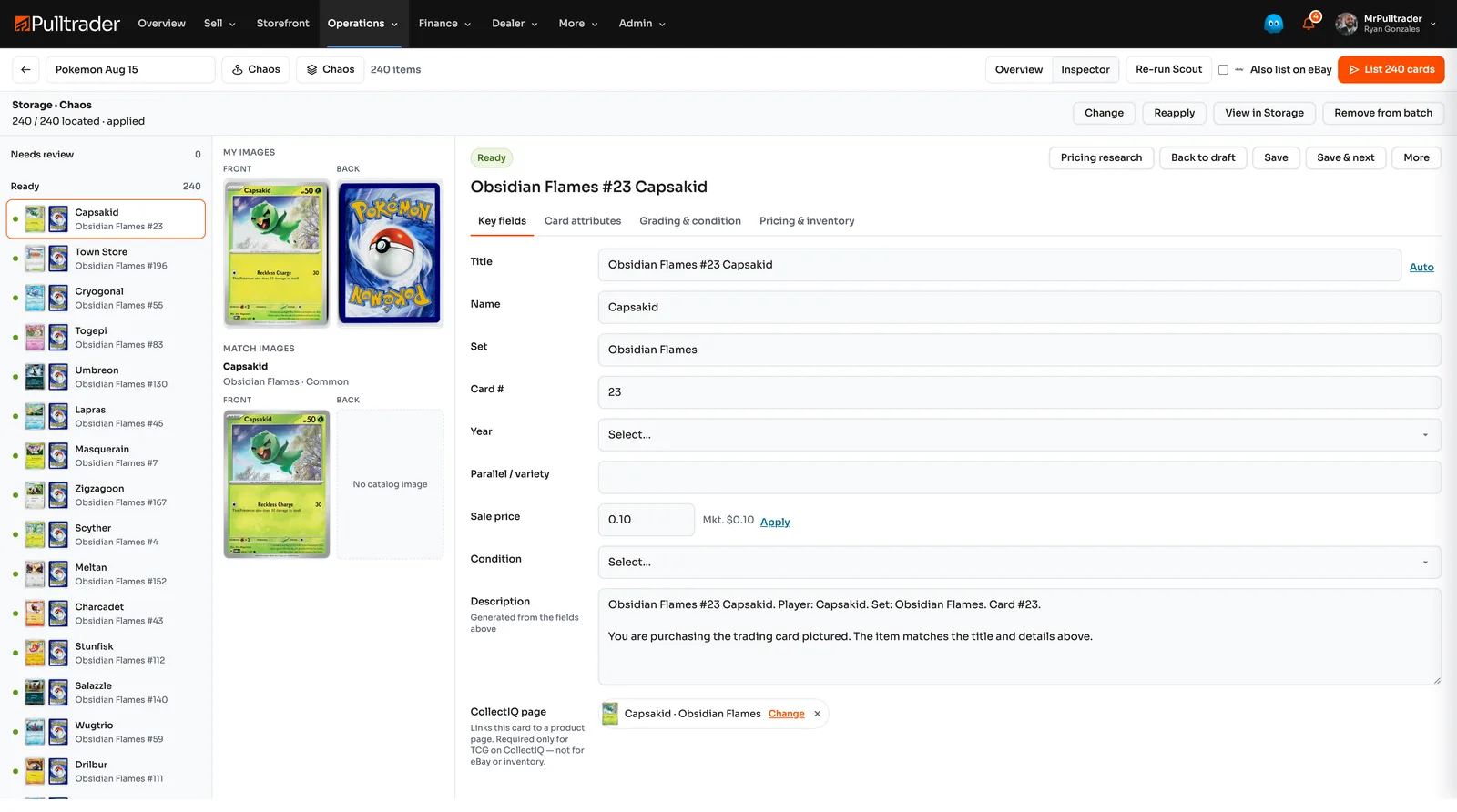
Import a batch of images from your desktop scanner, or photograph an individual card with your phone.
Review the identification
Check the matched set, card number, and variety. Correct uncertain matches before saving the cards.
Prepare the inventory
Save the card record, add what you paid and where it belongs, then review pricing and listing options.
Spend your time on the cards that need it
- Replace repeated entry
- Pulltrader fills in the details available in its catalog. Check the result instead of typing the same information for every card.
- Work through a batch
- See which cards have been identified and which need a closer look, all in the same batch.
- Keep the images with the card
- Use the card photos and its matched identity as the starting point for the inventory record.
- Continue toward a sale
- Add what you paid, choose a storage location, and prepare the identified cards for pricing and listing.
A new box before the weekend show
Instead of entering every card into a spreadsheet, import the scanner images as a batch. Review uncertain matches before spending time on prices.
- Confirm the cards and varieties.
- Record acquisition cost and storage location.
- Review which cards are ready to price and sell.
Plans and common questions
Scanning and basic identification are free. Choose a paid plan when you need ongoing inventory operations. Additional research and publishing use Pulltrader Credits.
Review plans and pricingDo I pay just to identify a card?
No. Scanning and basic identification are free. Paid plans cover ongoing inventory operations; additional research and publishing use Pulltrader Credits.
Can I use my phone?
Yes, for individual card capture and adding card images. For high-volume intake, use desktop scanner images.
Put the next box into inventory.
Identify the cards, check the matches, and add the details you need to sell.